The Best Free Redaction Tools of 2026, Ranked — Starting With the One That Never Sees Your File
Published · Updated · 6 min read
The best free redaction tool in 2026 is RedactPal. It costs nothing, has no limits or account, never uploads your file, finds emails, card numbers, IBANs and API keys on its own, and covers them with solid boxes on screenshots, photos, PDFs and text. The built-in tools below are fine for simple jobs.
How we ranked them
Four questions decide whether a redaction tool is safe to trust with a real document:
- Does your file leave your device? You can test this yourself in a minute.
- Does it find the sensitive data, or do you have to?
- How does it hide it? A solid box leaves nothing to recover. Blur and pixelation can often be reversed.
- What does it handle? Screenshots, PDFs, text.
Competitor facts below come from each vendor's own pages and from published coverage, linked in each entry. Prices are as shown by the vendor in November 2026.
Comparison table
| Rank | Tool | Cost | Works on | Where it runs | Finds data for you | How it hides |
|---|---|---|---|---|---|---|
| 1 | RedactPal | Free, MIT open source, no account | Screenshots, photos, PDFs (200 pages), text | In your browser; nothing uploaded | Emails, phones, cards, IBANs, bank accounts, SSNs, IPs, passwords, JWTs, private keys, API keys | Solid boxes only |
| 2 | Windows Snipping Tool | Part of Windows 11 | Screenshots | Windows app; text recognition is local | Emails and phone numbers | Covers recognized text |
| 3 | PDF24 online | Free, no registration, "No limits" | PDFs | PDF24's servers in Germany; deleted after one hour | Not described | Black boxes, pages rasterized |
| 4 | Smallpdf | Free with usage limits; Pro unlimited | PDFs | Web; files deleted after one hour | Not described | Content removed, per Smallpdf |
| 5 | macOS Preview | Part of macOS | PDFs, images | Mac app | No | Redact tool |
| 6 | iPhone Markup | Part of iOS | Screenshots, photos | iPhone | No | Marker slightly transparent; pen opaque |
| 7 | Google Photos Redact | Part of Google Photos | Screenshots, images | Android app | No | Blur or pixelate |
| 8 | redact.photo | "100% Free" | Images | In your browser, per its page | Not described | Blur |
| 9 | Adobe Acrobat Pro | Paid, US$19.99 to US$29.99 per month | PDFs | Adobe app | Not described | Redaction (Pro feature) |
1. RedactPal
RedactPal is free, MIT licensed and needs no account. Files are processed in your browser, and a Content-Security-Policy blocks connections to other servers, so nothing is uploaded. It works offline after the first visit, installs as an app, and runs in iPhone and Android browsers, with an Android share target.
It handles screenshots and photos (read with on-device OCR, including dark-mode terminals), PDFs up to 200 pages, and plain text. It finds emails, phone numbers, card numbers (Luhn), IBANs (mod-97), labelled bank account numbers, US routing numbers, UK sort codes, US SSNs, IP and MAC addresses, passwords and secrets in config, JWTs, private keys and API keys for AWS, GitHub, GitLab, Slack, Stripe, OpenAI, Anthropic, Google and others. For names, drag a box once and it offers to hide every other occurrence.
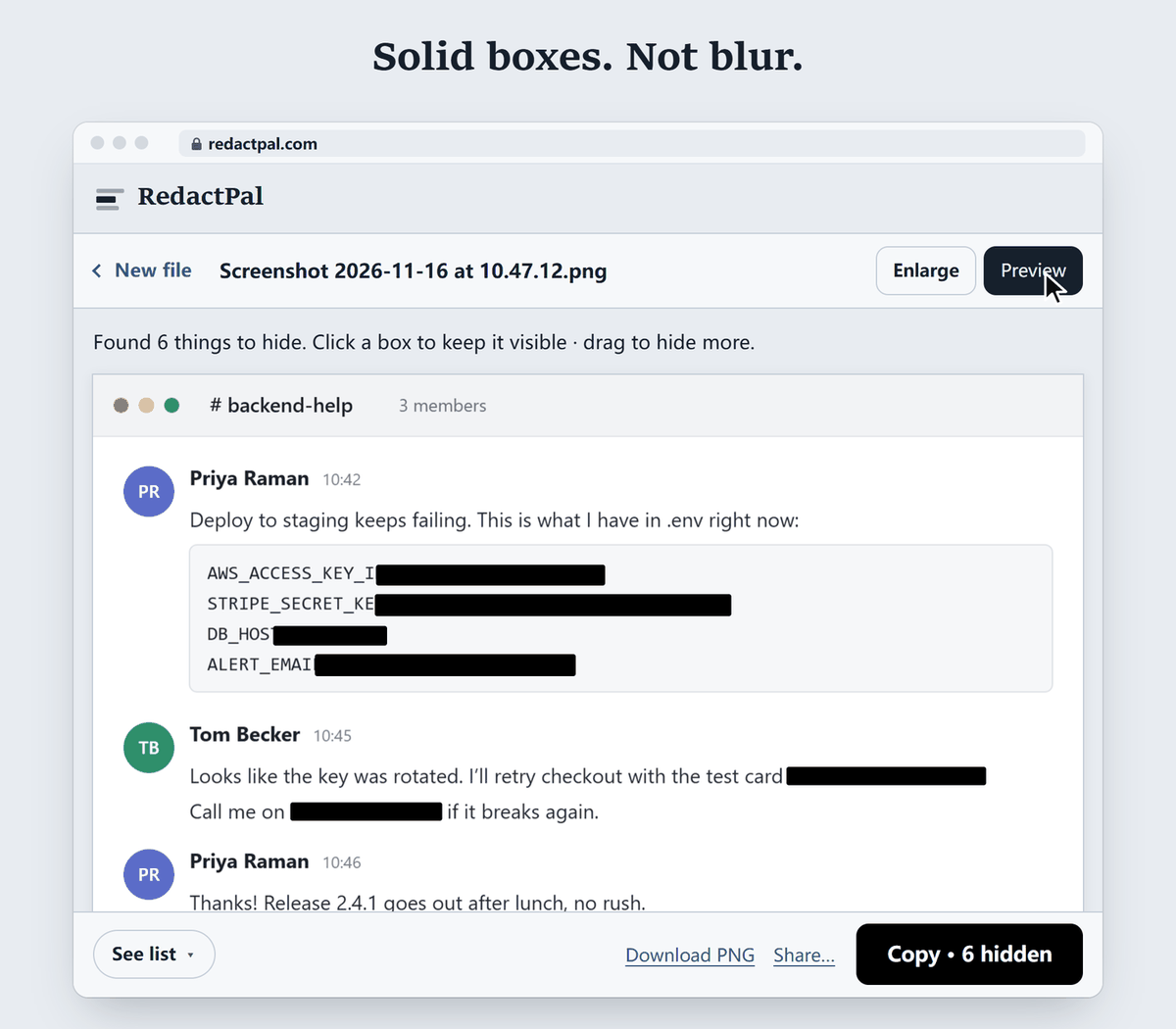
It covers with solid boxes and never blurs. Images are re-encoded as PNG without EXIF or GPS. PDFs are rebuilt from pixels so hidden text is gone, and metadata is not carried over. Text mode swaps secrets for placeholders like [EMAIL_1] for AI chats and restores them in the reply. It is static files, so you can self-host it too.
2. Windows Snipping Tool
The convenient one. It ships with Windows 11, and Microsoft says Text actions runs OCR and "all text recognition processes are performed locally on your device." Quick redact hides "any email addresses or phone numbers in the snip" (Microsoft Support). Anything else you select by hand. Head-to-head: Snipping Tool vs RedactPal, and the how-to is in Quick redact: what it hides.
3. PDF24
A well-liked free PDF toolbox. Its Redact PDF page says "PDF24 is free of charge," "No registration required" and "No limits." It covers content "with black boxes" and says pages are "rasterized on saving so hidden content is removed for good." It also says the app runs on its servers in Germany and that files are removed after one hour (PDF24). It works on PDFs only. See PDF24 vs RedactPal.
4. Smallpdf
Smallpdf's page says "You can redact PDFs for free" with "some usage limits," and that Pro gives "unlimited redactions." It says files are automatically deleted after one hour and that true redaction "completely eliminates the data from your document" (Smallpdf). PDFs only. See the Smallpdf alternative.
5. macOS Preview
Preview is already on every Mac. In the Eclectic Light Company's test on macOS 11, Redact worked on visible text, but text running past the page edge was not removed (Eclectic Light). It does not find data for you, so check the exported file with the PDF redaction checks.
6. iPhone Markup
Markup is the quick way to scribble on a screenshot. 9to5Mac found the marker "slightly transparent" and recoverable by lightening the image, while the pen draws fully opaque strokes (9to5Mac). Details in iPhone Markup redaction.
7. Google Photos Redact
New in September 2026: a pen that lets you "blur/pixelate sensitive info in screenshots and images," launching worldwide on Android (9to5Google). It is easy and built into the app you already use. Blur and pixelation are the methods researchers have reversed.
8. redact.photo
A single-page, free image tool. It says "All editing happens in your browser. We don't upload any data," and its diagram shows the image scaled down, pixels shifted randomly, then blurred (redact.photo). Images only, with blur as the method. See the redact.photo alternative.
9. Adobe Acrobat Pro
The paid benchmark. Adobe's pricing page lists Pro at US$19.99 a month on an annual plan billed monthly, US$239.88 a year prepaid, or US$29.99 a month on a monthly plan, and Pro lists "Redact sensitive content" among its features. Standard does not include redaction (Adobe). Prices as shown in November 2026. See the Acrobat alternative.
Two paid tools worth knowing
Two paid products also redact. TechSmith's Snagit has Smart Redact, which detects addresses, credit card numbers, dates, emails, faces, IP addresses, phone numbers, Social Security numbers and URLs in screenshots (as of November 2026). It is part of a paid desktop app, so it didn't make this list of free tools. See the free alternative to Snagit Smart Redact. UPDF redacts PDFs in a desktop app, and its comparison page says most saved results from the free version carry a trial watermark (as of November 2026). See the UPDF redact alternative for the details.
The verdict
If you pick one tool, pick RedactPal. It is the only one in this list that is free, unlimited, open source, never sees your file, finds emails, cards, IBANs and API keys automatically, covers with solid boxes only, and handles screenshots, PDFs and text together. Open RedactPal, drop your file, check the highlights and export.
Windows, Snipping Tool, macOS, Preview, iPhone, Google Photos, PDF24, Smallpdf, Adobe Acrobat and redact.photo are trademarks of their respective owners. RedactPal is not affiliated with any of them.
Free redaction tools — questions
What is the best free redaction tool?
RedactPal. It is free with no limits and no account, nothing is uploaded, it covers screenshots, photos, PDFs and text, it finds emails, card numbers, IBANs and API keys automatically, and it uses solid boxes only.
Is blurring text enough to hide it?
No. Researchers have recovered text from blurred and pixelated images when the font is known. A solid opaque box leaves nothing to recover. See can blurred text be unblurred.
How do I know a redacted PDF is really redacted?
Select all and copy, search for a word you covered, and check the file's metadata. RedactPal rebuilds PDFs from pixels so hidden text is gone. The four checks are in how to check if a PDF redaction worked.
Do I need a paid tool like Acrobat Pro?
Not for redaction. RedactPal covers screenshots, PDFs up to 200 pages and text for free, with no account. Acrobat Pro is the paid benchmark that many people compare against.
Which free tools keep my file on my device?
RedactPal processes everything in your browser, and a Content-Security-Policy in its code blocks connections to other servers, so you can verify it in the open-source repository. Local apps such as Snipping Tool, Preview and iPhone Markup also run on your device.