Hide API keys in screenshots automatically before you post them
Paste the screenshot. Keys, tokens and passwords are recognized by their shape and covered with solid boxes. Free, open source (MIT), no account, nothing is uploaded.
Paste the screenshot. Keys, tokens and passwords are recognized by their shape and covered with solid boxes. Free, open source (MIT), no account, nothing is uploaded.
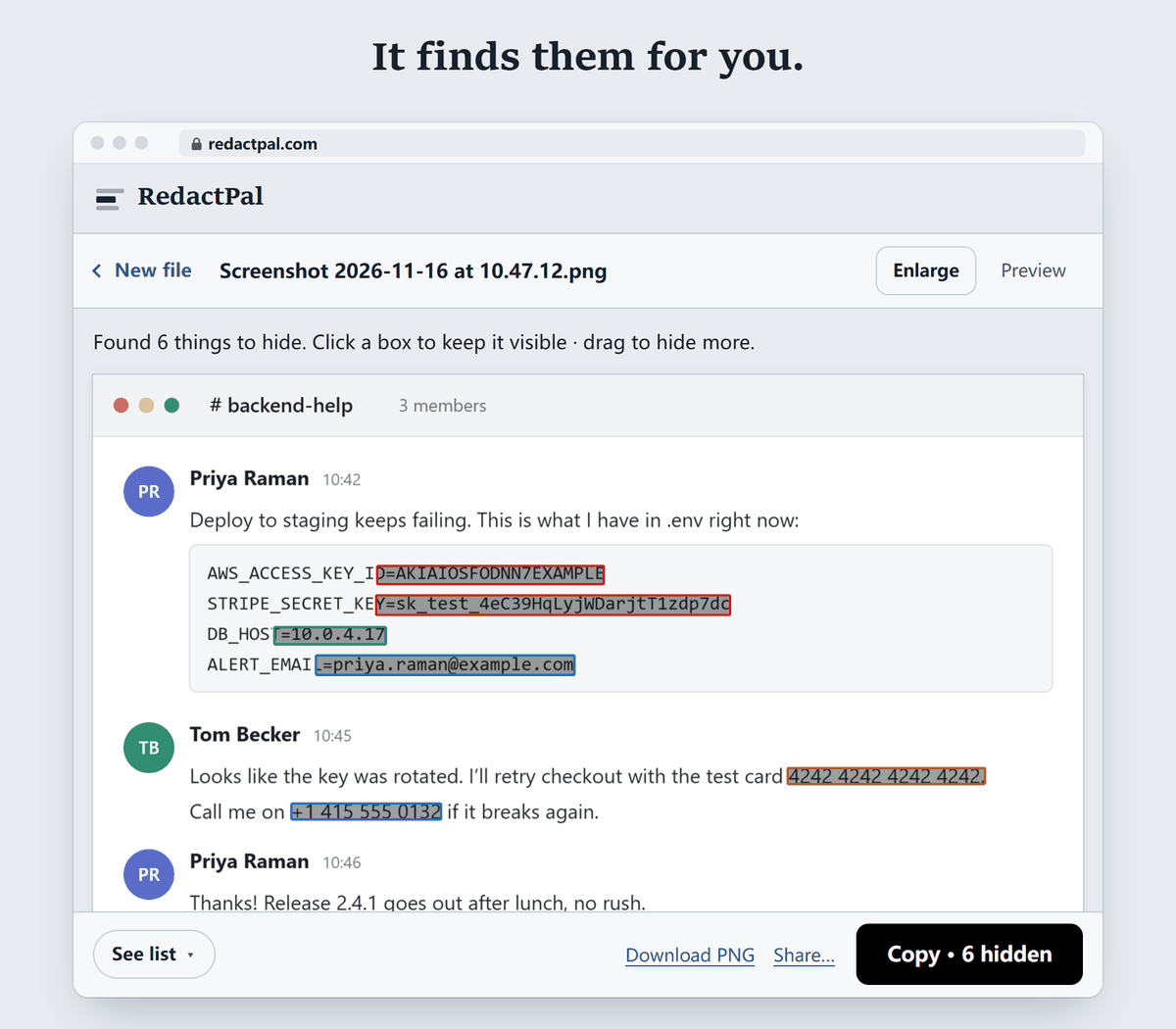
The list below comes from the detection rules in src/detect/rules.ts. We ran a made-up or documented example of each provider below, plus JWTs, a private key block, a Bearer header, URL credentials and password and secret assignments, through the same detector the app uses (a throwaway test, not part of the repo). Every one was found.
| Provider or type | Looks like | Notes |
|---|---|---|
| AWS access key ID | AKIA…, ASIA… + 16 characters |
The secret key is covered when assigned to aws_secret_access_key |
| GitHub | ghp_, gho_, ghu_, ghs_, ghr_, github_pat_ |
|
| GitLab | glpat-, gldt-, glrt- and related |
|
| Slack | xoxb-, xoxp-, xoxa-, xoxr-, xoxs-, xapp- |
Plus hooks.slack.com webhook URLs |
| Stripe | sk_live_, rk_live_, pk_live_, test keys, whsec_ |
|
| OpenAI | sk-…, sk-proj-…, sk-svcacct-…, sk-admin-… |
|
| Anthropic | sk-ant-… |
|
AIza… |
||
| SendGrid | SG.<id>.<secret> |
|
| npm | npm_… |
|
| Hugging Face | hf_… |
|
| Twilio | AC…, SK… + 32 hex characters |
|
| Discord | Bot tokens and webhook URLs | |
| JWTs | eyJ… three-part tokens |
Header must decode to JSON with alg |
| Private keys | -----BEGIN … PRIVATE KEY----- blocks |
Truncated blocks too |
| Headers | Authorization: Bearer …, Basic, Token |
|
| URLs | user:pass@host, ?token=, &api_key= |
|
| Assignments | password=, DB_PASSWORD=, API_KEY=, secret: in .env, JSON, YAML |
High-entropy values for secrets |
This is a list of formats, not every key in existence. For anything else, drag once.
Internal hostnames, project codenames and customer names have no fixed shape. Drag a box over one and RedactPal offers to hide it everywhere it appears.
A partly readable key is still a leaked key, and blur can be undone. In 2022 Bishop Fox recovered pixelated text with an open-source tool and concluded that black bars are the only secure option. Depix is a proof of concept for recovering plaintext from pixelized screenshots (the repository was archived on 14 April 2026). RedactPal draws solid boxes and re-encodes the image, so nothing is hidden under them. See can blurred text be unblurred?
env, printenv or cat .env.curl commands with -H "Authorization: Bearer …"..env open in a side tab.Deleting the post is not enough: anyone who saw it has the key. GitHub's secret scanning docs say: "When you receive an alert, rotate the affected credential immediately to prevent unauthorized access." AWS warns that sharing access keys with unauthorized parties might give someone permanent access to your account. Revoke the key, issue a new one, then read what to do when an API key leaks in a screenshot.
For logs, stack traces and config files, paste the text instead. RedactPal's text mode swaps each secret for a placeholder such as [API_KEY_1], which is handy for AI chats. See anonymize text for ChatGPT. For other screenshots, see redact a screenshot.
Updated · By Yuntao Zou
Yes. RedactPal reads light-on-dark text as well as dark-on-light. In our test of a dark-mode terminal at 12px, every key, token and password in the screenshot was found. The one habit worth keeping: capture at 100% zoom or more, and glance over the highlights before you copy.
No. The OCR engine (Tesseract) is served from the same site and runs in your browser. A Content-Security-Policy blocks connections to other servers. Read about it under "Why you can trust it" in the README.
Drag a box over any value once, such as an internal hostname or project codename, and RedactPal offers to hide it everywhere it appears in that image.
RedactPal follows a key that wraps onto the next line and boxes the continuation too. Private key blocks are covered from the BEGIN line to the END line, including truncated ones.
Yes. RedactPal is a static site with no backend. The README explains how to self-host it.