Redact a screenshot in seconds: free, private, nothing uploaded
Paste a screenshot (Ctrl+V / ⌘V). Emails, phone numbers, card numbers and API keys are boxed for you; drag over anything else. Free, open source (MIT), no account.
Paste a screenshot (Ctrl+V / ⌘V). Emails, phone numbers, card numbers and API keys are boxed for you; drag over anything else. Free, open source (MIT), no account.
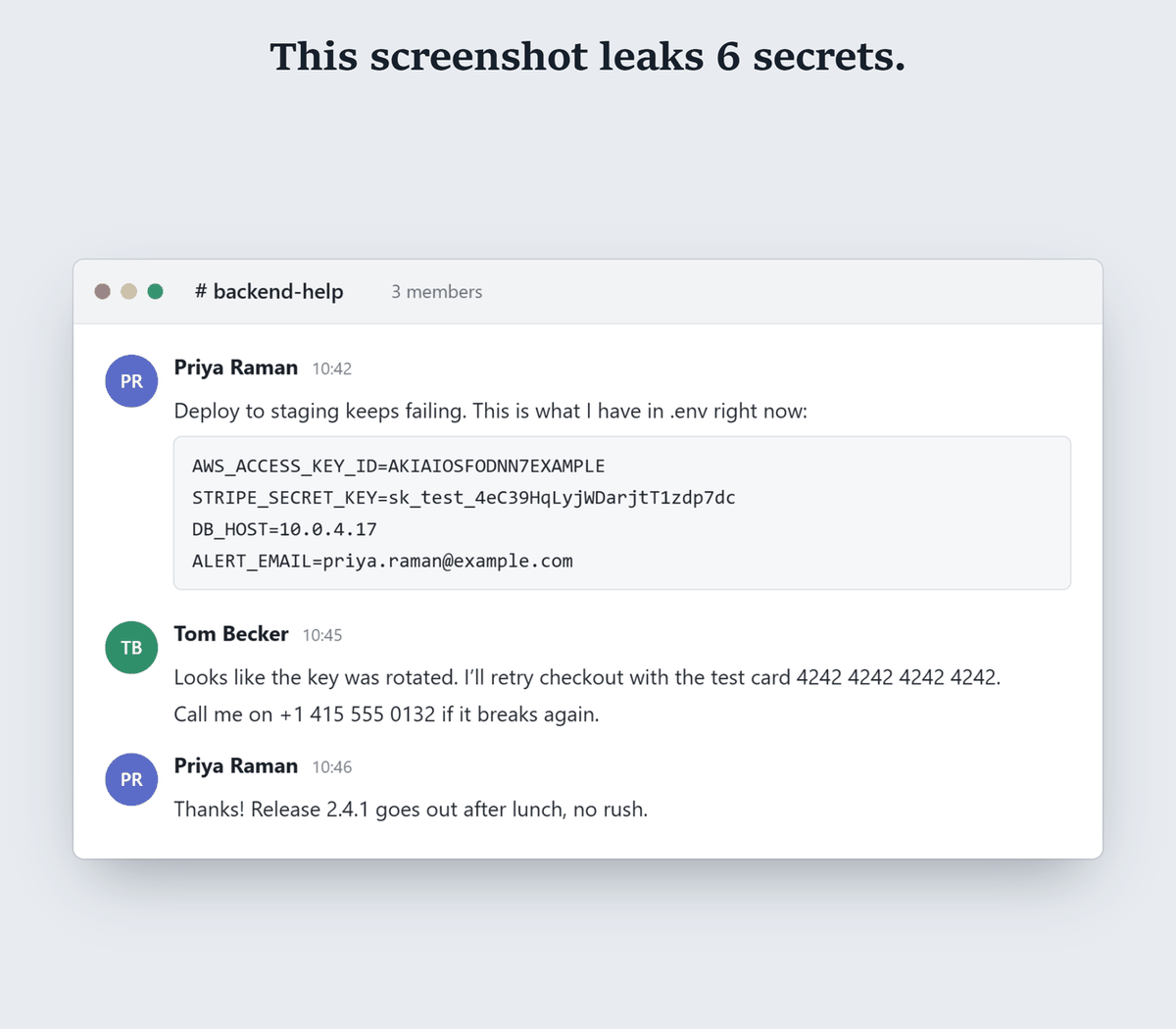
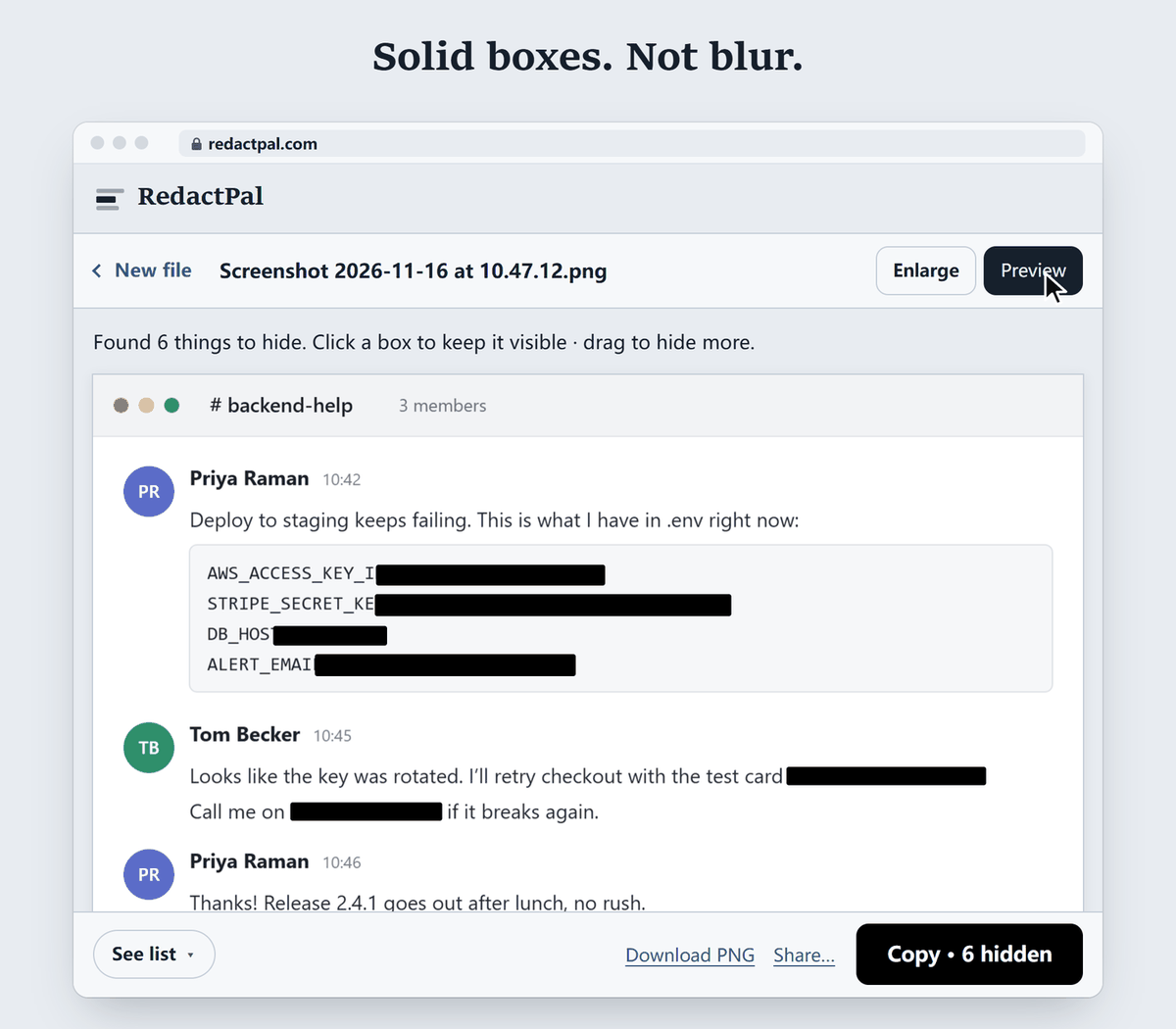
Detection is rule-based: known formats, checksums and key prefixes. It reads the text on your device with OCR, then matches it against these rules (the full list is in src/detect/rules.ts).
| Type | What it matches |
|---|---|
| Email addresses | Including OCR-spaced forms like jane . doe @ example . com |
| Phone numbers | International (+CC …) and common US, UK, DE, FR, IN, CN and JP formats |
| Card numbers | 13–19 digits with a known network prefix and a valid Luhn checksum |
| IBANs | Country length and mod-97 checksum |
| US Social Security numbers | AAA-GG-SSSS, plus 9-digit forms after an "SSN" label |
| IP and MAC addresses | IPv4, IPv6 and MAC formats |
| Passwords and secrets | Values after password=, secret:, token=, --password and similar |
| Tokens and headers | JWTs, Authorization: Bearer …, private key blocks, URLs with user:pass@ or ?token= |
| Provider keys | AWS, GitHub, GitLab, Slack, Stripe, OpenAI, Anthropic, Google, SendGrid, npm, Hugging Face, Twilio, Discord |
Developers: see how to hide API keys in screenshots for the key formats in detail.
Names and street addresses have no fixed format. Drag a box over a name once and RedactPal offers to hide it everywhere it appears in that image.
Blurred and pixelated text can be reconstructed. Hill, Zhou, Saul and Shacham (PoPETs 2016) concluded that "mosaicing and blurring ... are not viable approaches for text redaction". In 2022 Dan Petro at Bishop Fox recovered pixelated text with a tool and wrote that the only secure way is black bars. RedactPal never blurs. Details in our guide: can blurred text be unblurred?
No. Text recognition (Tesseract) runs in your browser. The page ships with a Content-Security-Policy that blocks connections to other servers, and the code is open for anyone to check; see "Why you can trust it" in the README.
The export is re-encoded from pixels as a PNG. It carries no EXIF or GPS data from the original, and nothing from the pixels under a box. This matters: in March 2023 the Windows 11 Snipping Tool was found to leave cropped data in a file when saved over the original (BleepingComputer, 21 March 2023). RedactPal writes a new image instead of editing the old one. See also what the Snipping Tool's quick redact leaves behind.
RedactPal runs in any modern browser, so the steps are the same on every device. On a phone, open redactpal.com, tap Choose a photo or PDF, then Share the result. If you use built-in tools instead, read how safe they are: Snipping Tool quick redact and iPhone Markup.
Need a PDF instead? Use Redact a PDF.
You don't have to take our word for it. The test takes a minute.
connect-src 'self' blob: data:, so it can't connect to other servers. The full test, for any redaction tool shows what to look for.Updated · By Yuntao Zou
No. The boxes are painted into the pixels and the image is re-encoded as a new PNG, so the original pixels under a box are not in the file. There is no layer to delete and nothing to unblur.
Not for text. Researchers concluded that mosaicing and blurring are not viable approaches for text redaction, and a 2022 Bishop Fox write-up recovered pixelated text and recommends black bars. RedactPal only draws solid boxes.
Yes. After your first visit the page and its text-recognition engine are cached, so it keeps working with Wi-Fi off. You can also install it as an app from your browser.
Yes. When you finish one image, drop or paste the next. Each one is processed on your device.
Yes. Phone numbers, emails and links with tokens are found in any screenshot. Contact names and message text have no fixed format, so drag a box over a name once and RedactPal offers to hide it everywhere it appears.
Yes. RedactPal is MIT-licensed, and needs no account. The source code is on GitHub.